
Why US Casino Apps Bleed Your Data in the Background
US casino apps are engineered to keep their sockets warm, and that persistent background data drain is not a bug — it is a feature they quietly monetize. Every time you close the lobby, the app still pings its telemetry servers, refreshes jackpot tickers, and re-authenticates your session, chewing through cellular allowance while you sleep. If you are tired of waking up to a depleted data plan, you need to attack the root mechanism, not just swipe the app away. 😤
The core offender is Android's implicit permission model combined with aggressive push-sync services. A casino app background data habit is baked into the manifest: foreground services disguised as "bonus alerts," periodic job schedulers, and wake locks that survive screen-off states. Your first real move is to strip those privileges at the OS layer, because the app will absolutely not police itself.
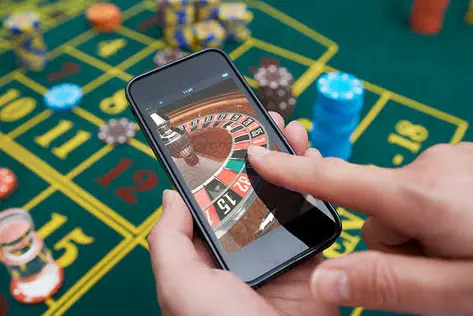
Kill the Data Pipe at the Android Firewall
Head straight into Settings and lock the app down hard. On Android, navigate to Apps, select the offending casino client, then open Mobile Data and toggle off "Allow background data usage." This single switch is the most brutal and effective lever you have — it forces the app to obey the OS scheduler and stops silent socket chatter the moment it leaves the foreground. On iOS the equivalent is under Settings, Cellular, and then the per-app switch, but Apple's background app refresh is the real villain.
Do not stop there. Disable "Unrestricted data usage" and "Allow data usage while Data Saver is on" in the same menu. Then revoke the battery optimization exemption — an app that cannot run in the background cannot siphon packets. Users who ignore this step still see their mobile data drain spike because Android's Doze whitelist lets casino clients fire sync jobs every fifteen minutes. Revoke it and the drain collapses instantly.
Neutralize Push, Sync, and Wake Locks
Push notifications are the Trojan horse. Open the app's notification channel settings and disable every bonus, promotion, and "your table is ready" category — each disabled channel cuts a server heartbeat. Then hunt down the sync adapters. In Settings, Accounts, you will usually find a casino account entry with sync toggles for contacts, wallet, and gameplay; switch all of them off. 🔧
For the hardcore lockdown, use Developer Options to inspect running services and confirm the app no longer holds a wake lock. If you spot a foreground service that refuses to die, force stop the app and clear its cache partition. On iOS, the Background App Refresh toggle under General settings is non-negotiable — flip it off and the app loses its ability to poll while suspended. Every one of these switches directly attacks the background data usage pipeline rather than the symptom.

DNS and VPN-Level Tunneling for Total Control
When the OS switches are not enough, go nuclear at the network layer. Route the device through a local VPN-based firewall that blocks the casino app's known telemetry domains. Most casino clients resolve to a handful of analytics and push endpoints; blacklist those hostnames and the app's background pings die on the wire before a single byte leaves your radio. This is the technique the pros use because it survives app updates that quietly re-enable permissions.
Pair that with a private DNS resolver that drops advertising and tracking queries, and you have sealed the leak. The combination of revoked background data permission, disabled background app refresh, stripped push channels, and domain-level blocking means the casino app gets only what you explicitly grant in the foreground. One last checkpoint: audit the app's permissions after every update — casino developers are notorious for sneaking new network privileges into minor patch releases, and a single overlooked toggle hands your data plan back to the house.